Integrations
ReferenceEmbed script
Add one script tag to your website and show the booking form inline, as a popup trigger, or as a floating button — with source attribution.
Updated Sep 30, 2026
The booking widget loads from a single <script> tag. Add it once to
your site's template. Every booking-form mount on the page uses it.
Install
<script
  src="https://book.servicereserve.com/embed.js"
  data-form-id="3bf957f4-4249-4662-a7e0-51e0da73313d"
  defer
></script>
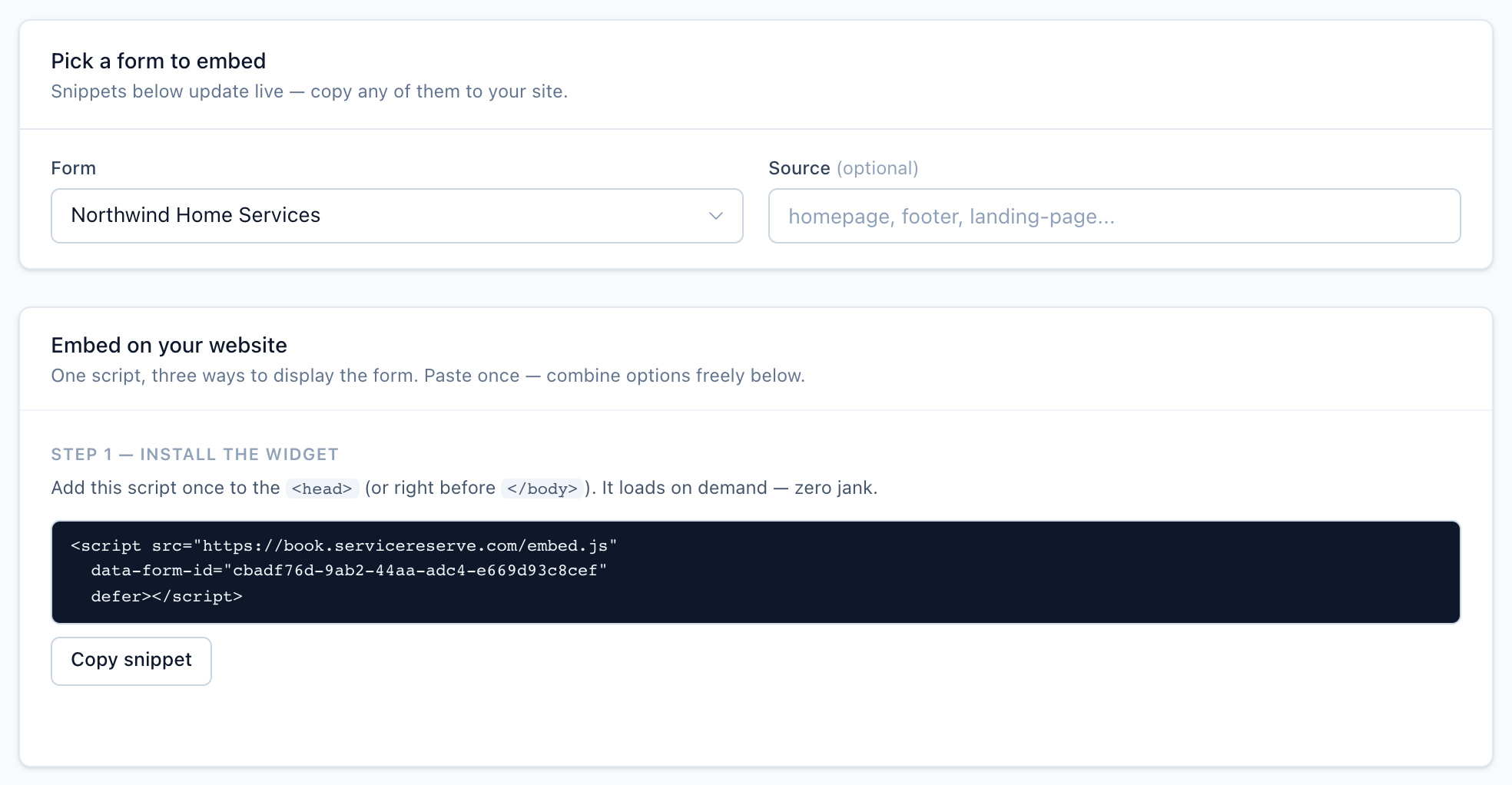
To get the snippet with your form's ID filled in, open Integrations → Embed. Pick the form in the Form dropdown and click Copy snippet.
Script attributes
srcrequireddata-form-iddata-sourcedata-profile-iddata-targetdeferWays to show the form
The same script supports three mount methods. You can mix them on one page.
- Inline embed: add a
.sr-booking-inlineelement and the form renders inside it. data-target: point the script at an element, for exampledata-target="#sr-booking", and the form renders inside it.- Popup trigger: any element with
class
sr-booking-triggeropens the form in a modal.
The floating button is a popup trigger with fixed-position styles.
Source and attribution
data-source="google-cpc" records google-cpc as the booking's source.
It shows on the request in your workspace. The order of precedence is:
- A
?source=(or?ref=) parameter on the page URL. data-sourceon the mount or trigger element.data-sourceon the script tag.
UTM parameters (utm_source, utm_campaign, and so on) on the page URL
are recorded separately under the booking's attribution. Click IDs such
as gclid and fbclid, the page URL, and the referrer are recorded too.
Related
Render the ServiceReserve booking form directly in your page flow with a single div, and control which form loads and how wide it is.
Open the ServiceReserve booking form in a modal from any button or link on your website, with attributes to pick the form and style the trigger.
A corner button, like a chat widget, that opens the booking form in a modal.
Send customers to your hosted booking page with a shareable URL, tagged with a source.